Inspired by The Book of Boba Fett: Chapter 5, I reworked the existing CAVE2 Mars demo and combined it with a scene modeled after the Tatooine map from Star Wars Galaxies.
Unlike the Mars demo, which has only has a few single rover models, this used a full Unity terrain with over 1000 separate models on it. Plenty of LOD scripts and clever rotating the world, shifting the world around the player to make the transition from the surface to space.
Created a custom splat map to generate the Tatooine planet surface. Replaced the model for Mars's Phobos and Deimos with a more standard moon model and tweaked the orbital parameters to match the classic Tatooine pan shot from Star Wars: A New Hope.
Added additional details to Beggar's Canyon to include Stone Needle, buildings in the canyon walls, and the service ramp Anakin Skywalker notably flew off of in The Phantom Menace (and was also features in The Book of Boba Fett).
Just a quick combining of existing projects for fun. Also been looking for an excuse to code this sort of thing for a while for CAVE2.
Based off of a "I got vaccinated" photoshoot/CAVE2 video I had done earlier this year, I reimaged the idea of "attacking" a Covid-19 virus in VR with a more Harry Potter theme.
I already had the Hogwarts costume from a Harry Potter birthday party a year back. Most of the background is actually from the Hummingbird VR project. I used the Orchard 2 scene and re-lit in into a nighttime scene.
Threw in some custom wand particle effects and appended some MakeHuman beefy arms and googly eyes to the Covid-19 virus model.
Added two spell effects: a basic lumos ball to light the scene and the more flashy beam one.
A fun behind-the-scenes image showing some of the fans and camera setup I used to make the image. Using the floor fan to blow the back of my cloak for "dramatic" was a fun, but ultimately a subtle effect due to how dark the scene is.
Interestingly this was one of two Halloween CAVE2 photoshoots I did this year. The other being a Star Trek themed one.
In celebration of the theatrical release of Star Wars Episode IX: The Rise of Skywalker, a new CAVE2™ video:
Developed in just a few days using mostly existing models from my Starfighter project (Millennium Falcon, TIE Fighters, Stormtroopers, blasters) as well as a number of interaction scripts (Stormtrooper AI, TIE Fighter AI, blaster effects, lightsaber deflection logic).
The terrain was also reused from my Halloween CAVE2 picture (based on The Rise of Skywalker teaser trailer). That terrain is based on NASA topography scans of Wadi Rum, Jordan where Rise of Skywalker and Rogue One were filmed. Zooming around Google Earth, this seemed to be the specific location the Rey + Kylo Ren fighter scene was filmed.
Halloween 2019
Jedi robe, cloak, belt, and lightsaber from my trip to Star Wars: Galaxy's Edge in Orlando on my way back from presenting a paper at SUI 2019 in New Orleans.
For the Halloween photoshoot the terrain, Star Destroyer, and TIE Fighters were placed in the Unity3D scene. However, other than the dust particle effect and the camera projection the scene was otherwise static. Any of the animations and interactions would be added in December.
Some of the new elements specifically built for this video was the Imperial Lambda Shuttle. Which I has started a while back, but didn't finish. I completed enough of the exterior and a bit of the interior and boarding ramp for use in this scene.
Existing model: December 16, 2019
Additional front and boarding ramp details: December 17, 2019
Other additions to the Millennium Falcon 3D model since my last post. The backlog is due to writing and presenting my PhD preliminary examination on December 2, 2019 followed by scrambling to work on a CAVE2 image for the 40th anniversary of Star Trek: The Motion Picture and finally The Rise of Skywalker theatrical release on December 19, 2019.
I teased that the next update would be a CAVE2 one. But given a busy semester, slow progress until I remembered May the 4th, 2018 was coming up. I released a short teaser trailer to highlight the project features to date - well most of them. I spent about 9 hours the night before setting up the 12 or so shots used for the video. Every shot I filmed that night was included in the video. I had 3 additional shots planned, but didn't get around to filming those.
A number of the shots were modeled after the teaser trailer for 'Solo: A Star Wars Story' and uses the music from that trailer by L'Orchestra Cinématique which is available on their YouTube channel.
Like almost all of my CAVE2 images or videos, I personally setup all the shots, the camera, and the lighting. I used a few versions of the CAVE2 application for the video. Some were existing demo versions with the music muted, others I was modifying the source project and making a new build for specific behaviors I wanted to capture or setting up the in-game camera at a specific location in case I needed to duplicate a shot.
The final hyperspace shot was the one that took the most takes because 1) the lighting was hard to get right and 2) I broke the app once and the star streaks were stuck in front of the cockpit. It was also the last shot of the night, so I was rather tired at that point.
I was a bit disappointed I didn't keep the scene used for the video in part 5.5 of this blog since I actually used the CAVE2 displays behind the camera to illuminate myself. There's also a fun part of that story where about a third of the displays and tracking cameras were down since we were replacing some of the screens at the time.
Although I do still have the scene file for the Star Wars 40th picture I did in 2017.
Since my last post, I've completed a first attempt at the flight stick controls for the Millennium Falcon as seen in all the films except Star Wars (A New Hope).
Flight sticks: March 27, 2018
Based on several sources online, the flight yokes were originally from 1940s Vickers Viscount airliners and mounted backwards to serve as the Millennium Falcon's flight stick - though Solo might be the first time on screen that these flight sticks will be seen actually used in flying the Millennium Falcon opposed to just being held. The Solo teaser also showed the silver handbrake(?) lever on the center console being used - another first I believe. The Force Awakens made more use of the black throttle(?) controls on the top of the console.
Landing Gear Doors: May 2, 2018
Continuing to fill out the exterior details, I've modeled and animated the landing gear doors. The original three main landing gears use a similar two door approach. The two front landing gears added for Empire Strikes Back have a wider door that folds when deployed. This is based on some of the closeup shots in Echo Base.
One of the cancelled shots for the May the 4th video would have had a shot of the Millennium Falcon coming in for a landing with the fully animated doors and gears as it made its approach. Maybe for the best since I haven't modeling the cargo lift yet and the gaping hole visible in the above image.
Quick pre-The Last Jedi update to the lighting (now real-time) with blinking lights, interactable switches, additional tracking (for the chair), and textures and lighting fixtures in the corridor.
Lighting and interaction test in the CAVE2™ virtual-reality environment at the Electronic Visualization Laboratory at the University of Illinois at Chicago: December 15, 2017 Just a quick video over a lunch break and in between a refit of CAVE2 (some of the displays and tracking cameras behind the camera were down) to celebrate the release of Episode VIII: The Last Jedi. Went to see the movie later that evening.
New post after over a year! Focusing on other projects like Enterprise, research work, being lazy on writing posts, Breath of the Wild, Mass Effect Andromeda, etc.
Hoping this summer to get back into it.
Baked Lighting Test: June 12, 2016
Playing around with Unity's baked lighting system. Apparently one of the last screenshots before I shifted projects last year.
Star Wars 40th Anniversary: May 24, 2017
In celebration of the 40th anniversary of the original cinema opening of Star Wars, updated the Death Star hanger model to use the emergency lighting as seen on the season 1 finale of Star Wars: Rebels and added a Darth Vader model in homage to Rogue One: A Star Wars Story.
Also felt this was a fitting time to finally take a CAVE2 picture with my Kenobi "Redeemer" lightsaber which was a gift to myself for completing the PhD qualifying exam last year.
During May and June I did a significant amount of work rewriting the space flight mechanics and starfighter AI. Once those were completed, I finally did a push to implement important UI elements such as head-up-displays, targeting systems, and a radar.
TIE Fighter Play Test: July 2, 2017
Since Rogue One and season 3 of Star Wars:Rebels had come out since I last worked on the TIE fighter, there was much more reference material for the cockpit displays.
X-Wing Play Test: July 4, 2017
Just a quick port of the new TIE fighter UI components into the old x-wing cockpit.
Exterior and Boarding Ramp Overhaul: July 10, 2017
In early July, I started work on adding more exterior details to the Millennium Falcon - specifically the armor plating. However the current state of the model has enough inaccuracies, that I started overhauling most of the exterior components.
This work is based off the production plans of the Millennium Falcon from Empire Strikes Back acquired from Star Wars: The Blueprints.
Right on the heels of a rather hectic semester, including passing the PhD qualifying exam, I present version 2 of the Millennium Falcon cockpit. Most of the modifications are based on the earlier CAVE2 virtual reality tests which exposed some scaling issues with the model as well as experience gained by modeling such a detailed space with angled panels.
Opposed to the original model where the cockpit walls were modeled at that angle, the new version are actually separate panels rotated into that position. This made it much easier to place switches, buttons, and lights using the panel's local coordinates.
Also since the original model I've found two major reference sources that have vastly improved the detail in this model:
These have been immensely helpful for getting the details of the cockpit and especially the main cockpit console
Completed side wall panels: May 23, 2016
Cockpit console: May 26, 2016
In a change of pace from 3D modeling, I worked on finishing the turret interaction I had started on in January and implement the wand controls so that I could test this in CAVE2. As a testament to the development of the CAVE2 Simulator most of the interaction was tested using the simulator augmented with a Kinect for hand and head tracking. This translated to directly running on CAVE2 without any sensitivity adjustment to the controls.
This was one of two CAVE2 Unity demos using a new version of my cluster sync code. Details and probably a video in the next update.
Part 3 contains less new modeling and more testing in CAVE2. Some basic wand interaction was added to open some of the blast doors and extend the bridge across the chasm.
First test in CAVE2: Dec. 15, 2015
With The Force Awakens approaching, I pulled some of the models from my Stormtrooper shooting test and made a few photos for my Facebook cover photo and profile picture. Literally took these shots right before leaving for the Alder After Dark Side event. I also added multiple weapons selectable using the DPad - and E-11 Blaster Rifle, DL-44 Heavy Pistol, and my lightsaber.
DL-44 in action: Dec. 17, 2015
I wrote the lightsaber blade script in Unity years ago, but this might actually be the first time I'm wielding my lightsaber design in CAVE2 (a Kenobi/Katarn hybrid).
The lighting scheme used for the corridors in this shot was inspired by the season 1 finale of Star Wars Rebels 'Fires Across the Galaxy' where the Ghost crew boards an Imperial Star Destroyer temporarily disabled and running on emergency power.
I'm still working out synchronization issues in CAVE2 preventing me from making a proper video of this. Probably due to the tighter space than the test scene in the previously mentioned video, the stormtroopers get out of sync much faster in this environment.
I've run some smaller tests and showed that it is not the Nav Meshes de-synchronizing, but rather somewhere in the combat/aiming scripts. Sadly the most stable version of this game is the one where I disable strormtroopers shooting back. Just of one many things I hope I'll tackle by part 4 which may be delayed due to the semester kicking into gear.
Most of the 3D models I tend to make are inorganic objects such as buildings and spaceships because my knowledge of character modeling comes from a few Google searches and Blender's Gingerbread Man tutorial, so the results have been decent at best.
Starfleet Officer: February 11, 2013
Sometime in 2014 I starting playing around with MakeHuman. Being a Sims player from The Sims 1 through 3, I got used to character creation sliders than seem to be in just about every RPG game these days (Mass Effect, Dragon Age, Fallout, etc.). Not to mention the models can be exported fully rigged - saving me the trouble of rigging it myself and getting more 'Woody from Toy Story' looking joints. Not to mention having a good base body model made it a lot easier to model custom clothing over it - such as a Wrath of Khan officer's uniform (I promise I'm almost done with the Star Trek content on this post)
Starfleet Officer based on MakeHuman (left) and my original model (right): April 27, 2014
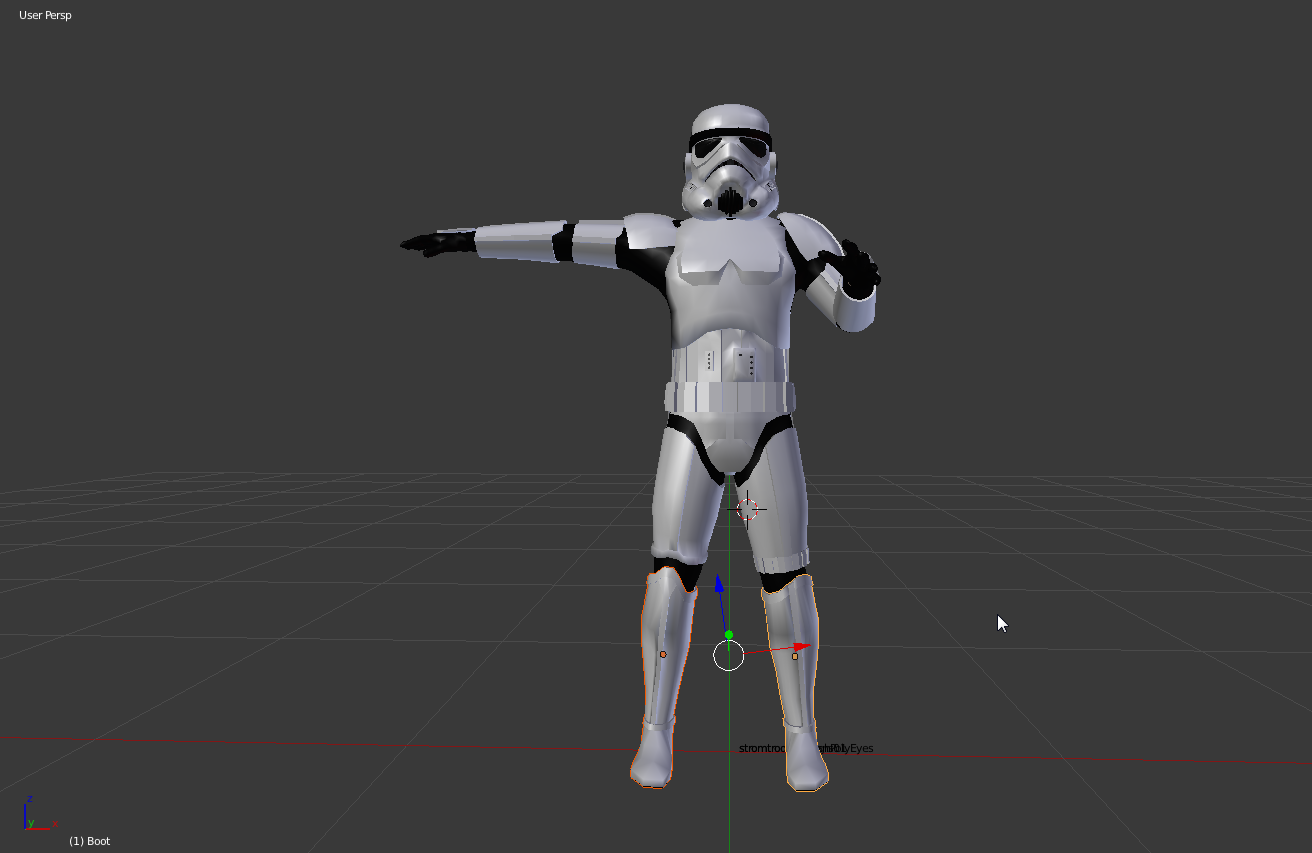
Base model used for the Stormtrooper: May 1, 2014
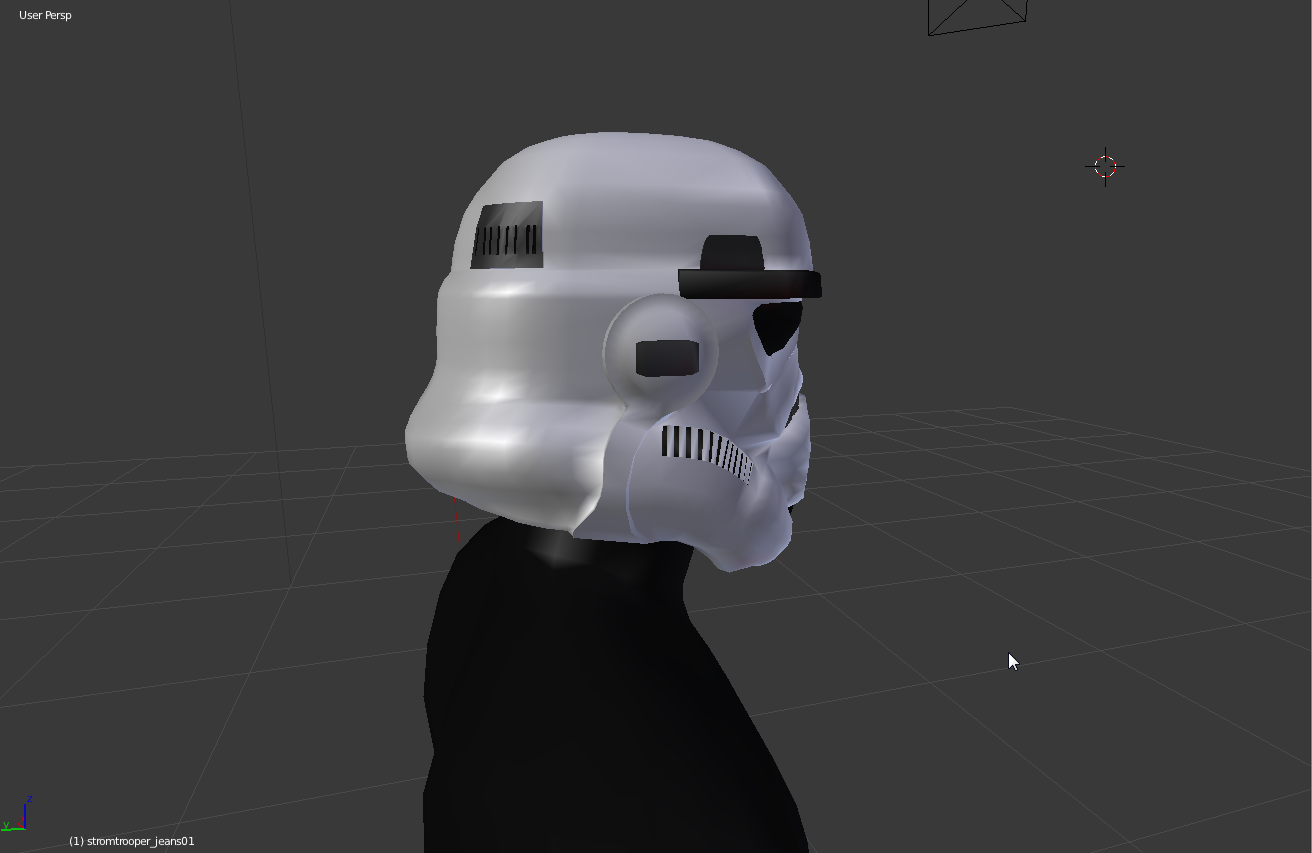
Like most of my models, I started by a Google search for "Stormtrooper armor" looking for blueprints, reference photos, and any measurements or diagrams with dimensions I can find. Since my 3D modeling experience is based on a computer-aided drafting class I took in high school, I tend to work from isometric views and extrude the model into 3D.
Stromtrooper Helmet: May 1, 2014
Chest plate and shoulder pad: May 3, 2014
Biceps and Bracers: May 6-7, 2014
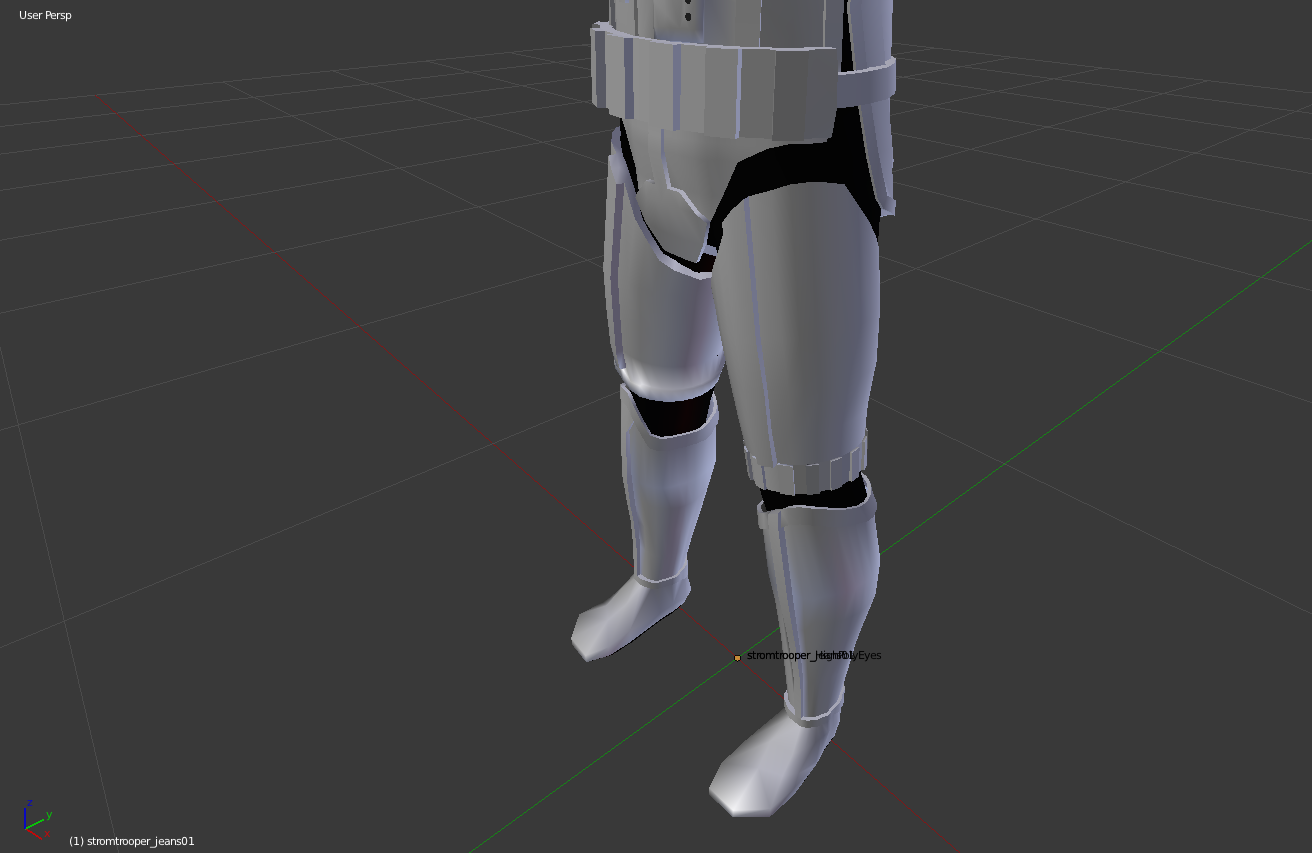
Leggings, Boots, and Belt: May 15, 2014
E-11 Blaster Rifle: May 15, 2014
So almost a year passes and after some teaser trailer in April, I decide that my summer project will be Star Wars in CAVE2(TM). As if I needed this project to get more complicated, I'm working on both the original Starfighter flight and a ground shooter components. The goal is to have a demo video ready by holiday 2015 for some reason.
My previous character model animations were manually keyframed in Blender. However by this point, Unity had upgraded it's animation system to Mecanim and has some nice examples for using it (such as the Mecanim Locomotion Starter Kit).
Stormtrooper in Unity: April 25, 2015
While I'm at it, I started playing around with inverse kinematics to have the Stormtrooper aim at a particular object.
Aiming far more accurately than a Stormtrooper should: April 25, 2015
Like most of what I do in Unity, eventually it finds it's way into EVL's CAVE2(TM). Also gave me an excuse to use multiple head trackers (one for the camera, one for my head for the Stormtrooper to aim at), and multiple tracked wands (the blaster in my hand and the other weapon on my belt). Also calibrated the tracking system to make sure the handle of the blaster lined up with the wand (legit research work right?).
I have a bad feeling about this: May 4, 2015
This of course leads to the first virtual reality First-Person Shooter example for a CAVE2(TM) System:
Stormtroopers in CAVE2: June 12, 2015
Building that example also taught me Unity NavMeshes and more in depth with the animation system. Shooting and death animations were still keyframed in Blender (Spent a whole 20 seconds on those).
Currently busy upgrading to Unity 5 and some cluster sync issues.